 ## Overview
It is recommended that you start from the image segmentation demo on the Android device to understand how to build the MindSpore Lite application project, configure dependencies, and use related Java APIs.
This tutorial demonstrates the on-device deployment process based on the image segmentation demo on the Android device provided by the MindSpore team.
## Selecting a Model
Select an image segmentation model.
> Click [here](https://download.mindspore.cn/model_zoo/official/lite/mobile_segment_lite/segment_model.ms) to download the Android image segmentation model.
>
> This example describes how to use Java APIs.
>
> The application development environment is Windows.
Scan the QR code below or directly download the [APK file](https://download.mindspore.cn/model_zoo/official/lite/apk/segmentation/image_segmentation.apk) corresponding to this sample, and deploy it on an Android device.

## Deploying an Application
The following describes how to build and execute an on-device image segmentation task on MindSpore Lite.
### Running Dependencies
- Android Studio 3.2 or later (Android 4.0 or later is recommended.)
- Android SDK 26 or later (installed by Android Studio by default)
- JDK 1.8 or later (installed by Android Studio by default)
### Building and Running
1. Load the [sample source code](https://gitee.com/mindspore/models/tree/r2.0.0-alpha/official/lite/image_segmentation) to Android Studio and install the corresponding SDK. (After the SDK version is specified, Android Studio automatically installs the SDK.)

2. Connect to an Android device and runs the image segmentation application.
Connect to the Android device through a USB cable for debugging. Click `Run 'app'` to run the demo on your device.

For details about how to connect the Android Studio to a device for debugging, see
## Overview
It is recommended that you start from the image segmentation demo on the Android device to understand how to build the MindSpore Lite application project, configure dependencies, and use related Java APIs.
This tutorial demonstrates the on-device deployment process based on the image segmentation demo on the Android device provided by the MindSpore team.
## Selecting a Model
Select an image segmentation model.
> Click [here](https://download.mindspore.cn/model_zoo/official/lite/mobile_segment_lite/segment_model.ms) to download the Android image segmentation model.
>
> This example describes how to use Java APIs.
>
> The application development environment is Windows.
Scan the QR code below or directly download the [APK file](https://download.mindspore.cn/model_zoo/official/lite/apk/segmentation/image_segmentation.apk) corresponding to this sample, and deploy it on an Android device.

## Deploying an Application
The following describes how to build and execute an on-device image segmentation task on MindSpore Lite.
### Running Dependencies
- Android Studio 3.2 or later (Android 4.0 or later is recommended.)
- Android SDK 26 or later (installed by Android Studio by default)
- JDK 1.8 or later (installed by Android Studio by default)
### Building and Running
1. Load the [sample source code](https://gitee.com/mindspore/models/tree/r2.0.0-alpha/official/lite/image_segmentation) to Android Studio and install the corresponding SDK. (After the SDK version is specified, Android Studio automatically installs the SDK.)

2. Connect to an Android device and runs the image segmentation application.
Connect to the Android device through a USB cable for debugging. Click `Run 'app'` to run the demo on your device.

For details about how to connect the Android Studio to a device for debugging, see 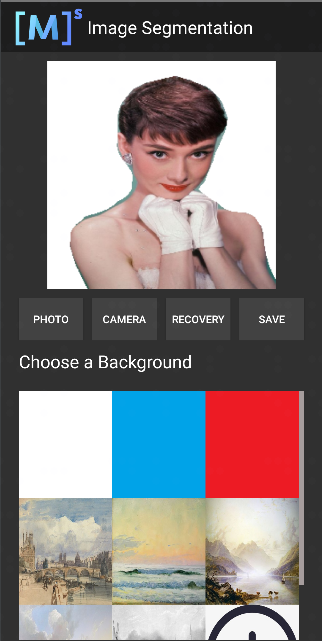 Figure 1 White background |
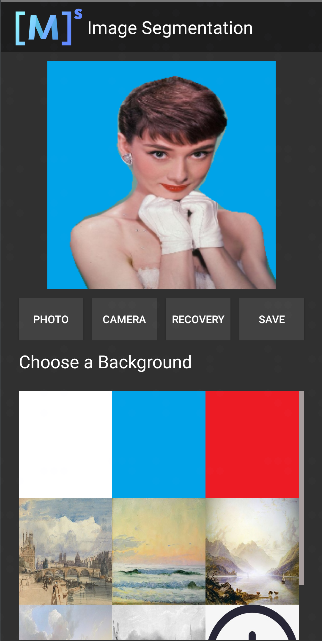 Figure 2 Blue background |
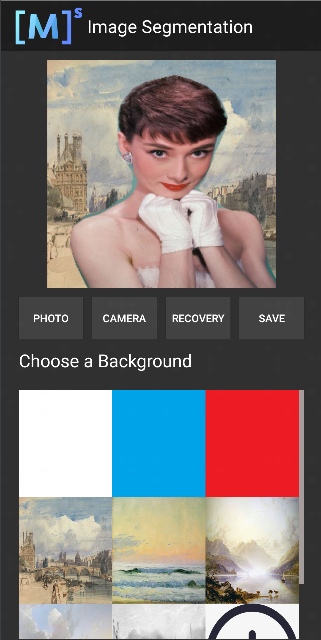 Figure 3 Oil painting background |
 Figure 1 Before inference |
 Figure 2 After inference |